
vim cheat sheet
0.Structure of vim commands:
<number><command><text object or motion>
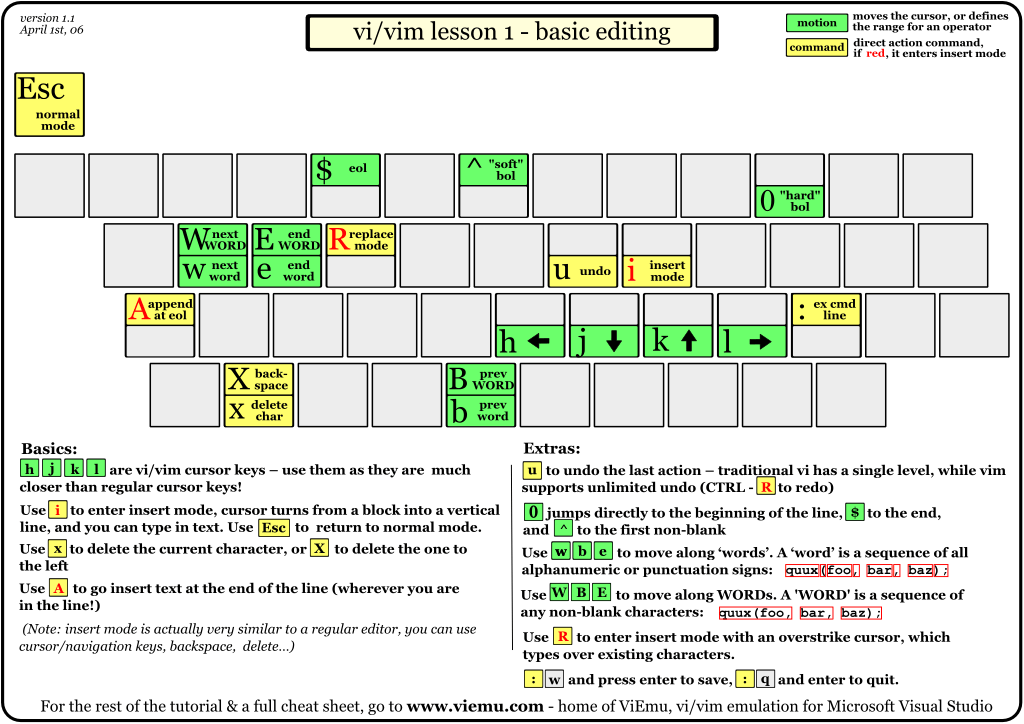
1.Basic editing
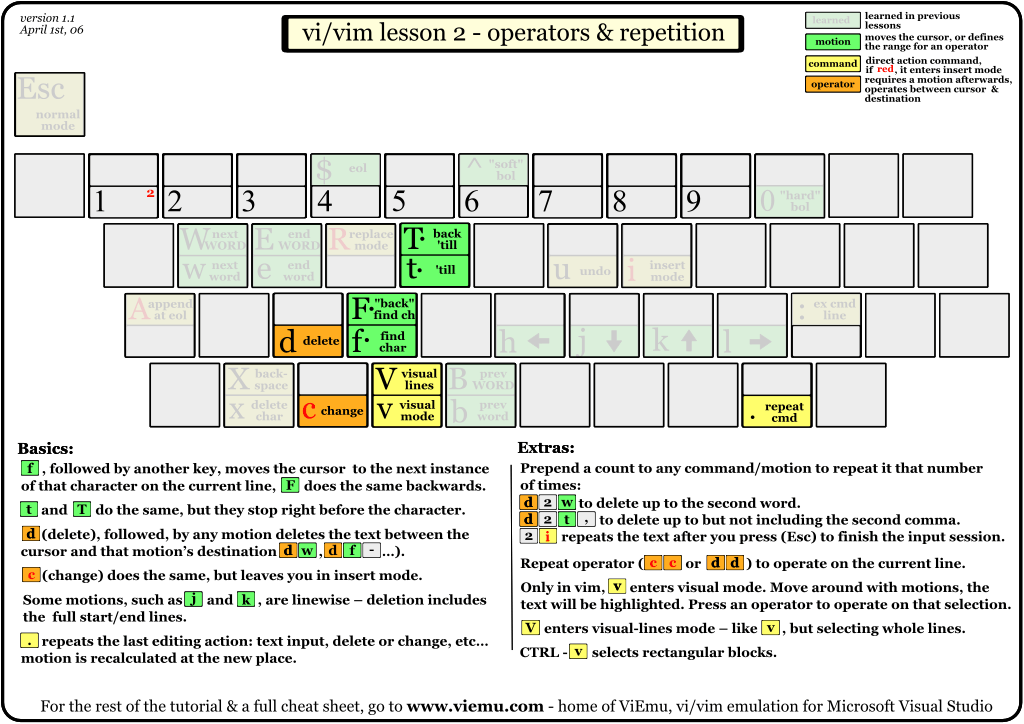
2.Operators and repetition
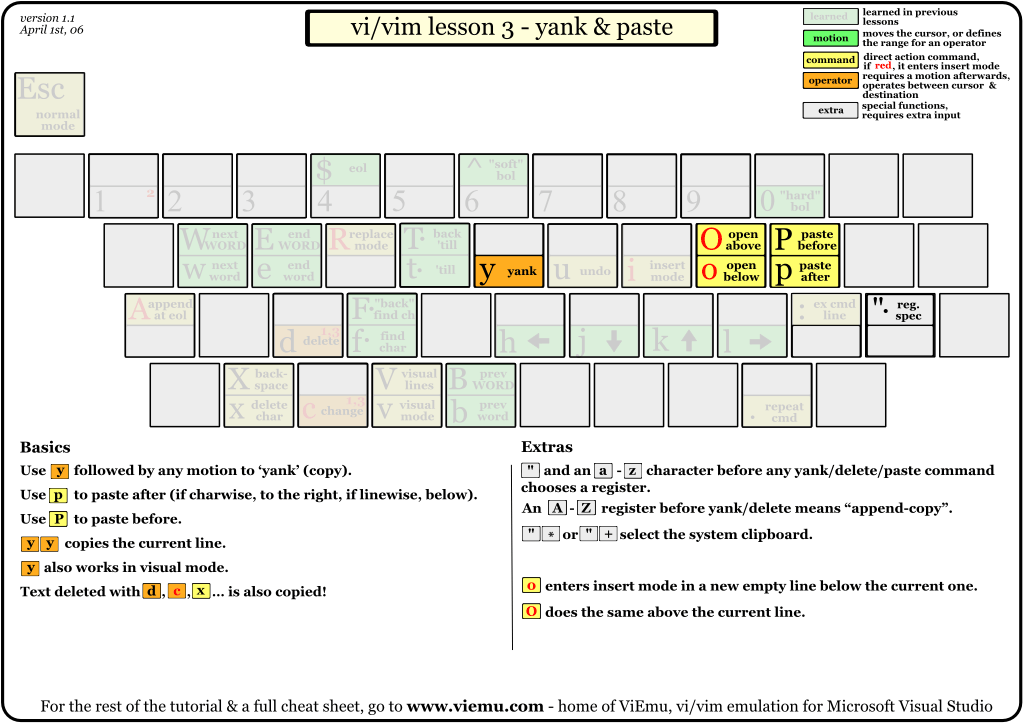
3.Yank and paste
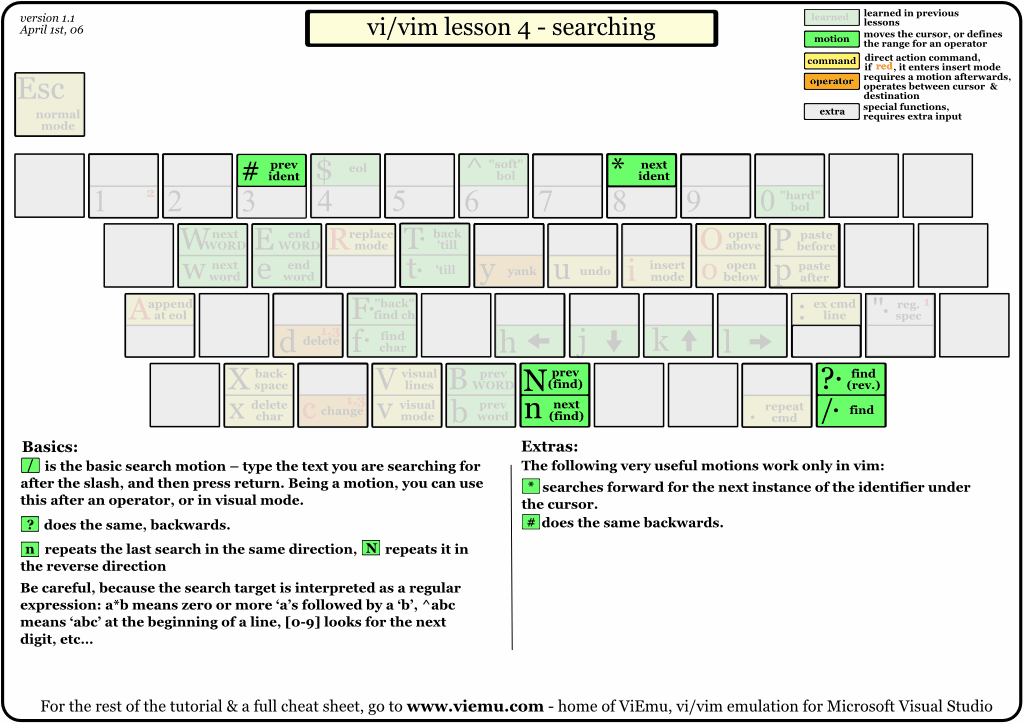
4.Srearching
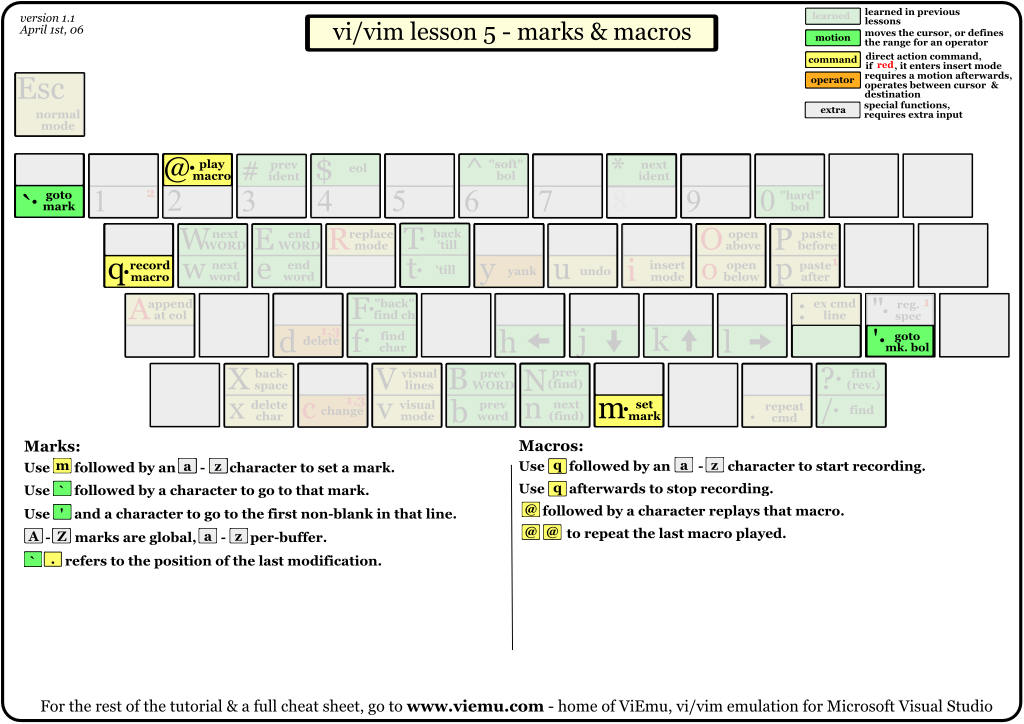
5.Marks and macros
6. Various motions

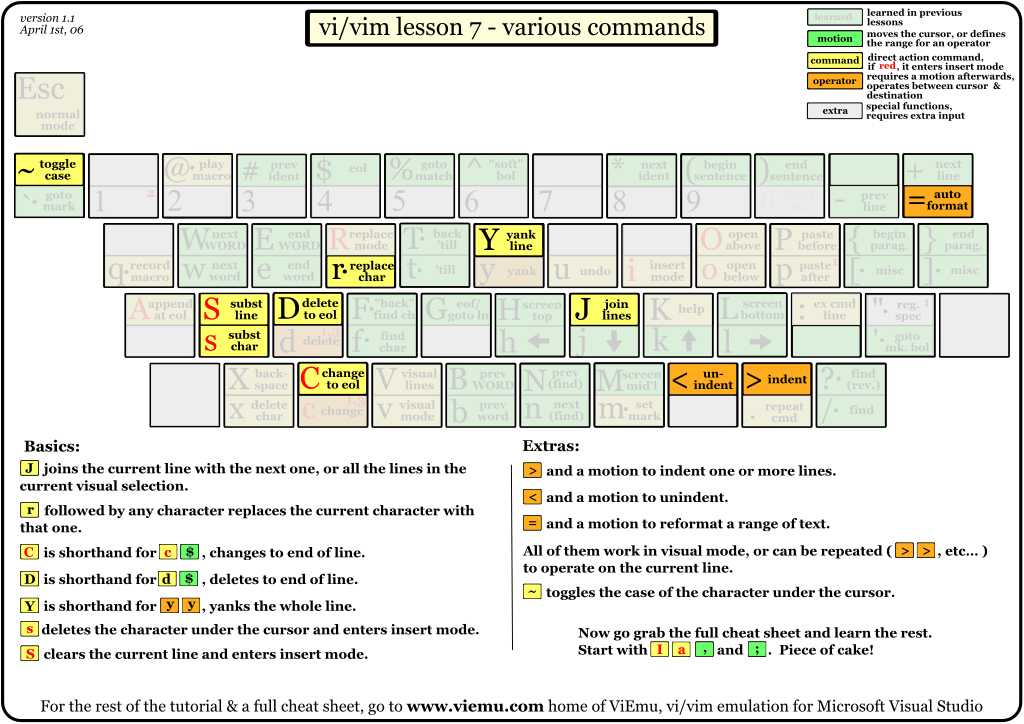
7.Various commands
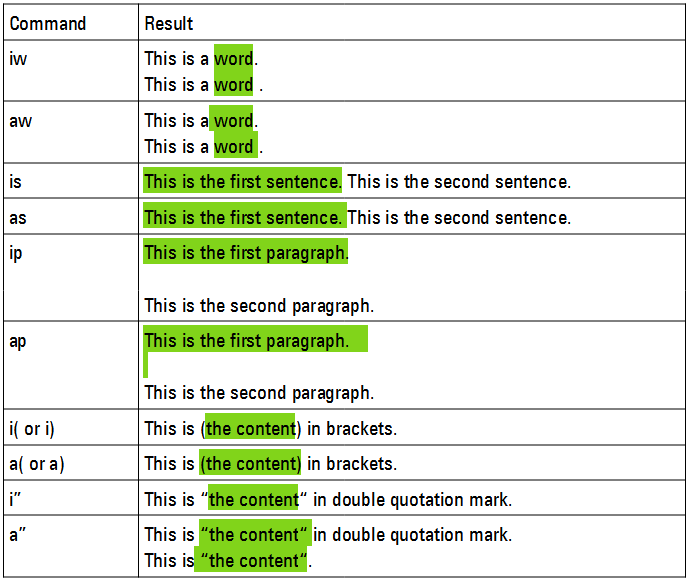
8.Text objects
-
Scope:
i: inner, does not include surrounding white space.
a: around, includes surrounding white space. -
Object:
w: word
s: sentence
p: paragrph
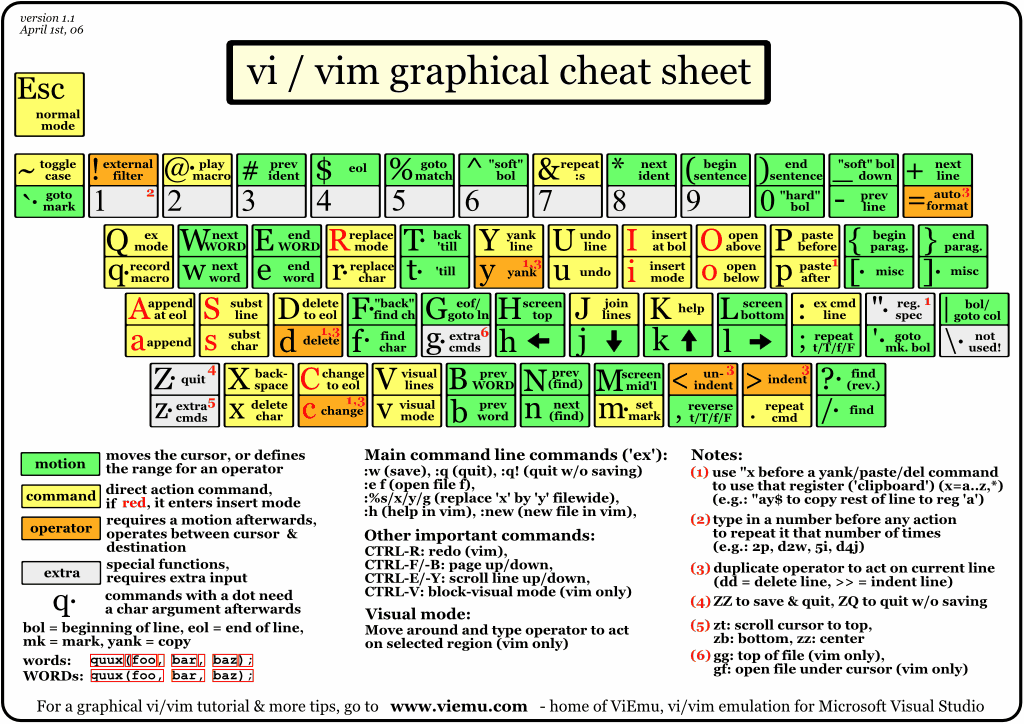
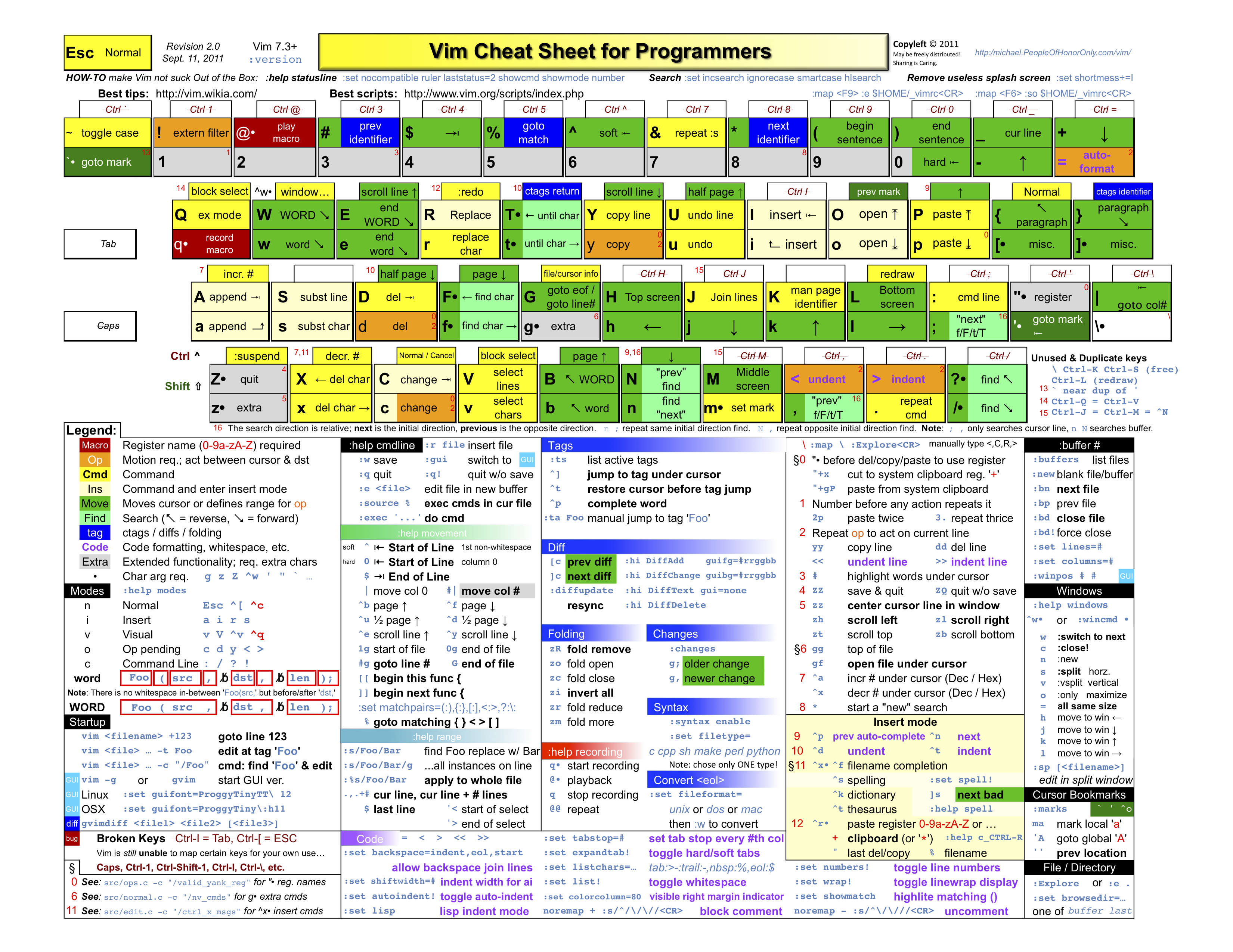
9.Complete cheat sheet
10.Others
input unicode:ctrl+v u unicode. example:ctrl+v u 2190 = ←
solve autoindent issue during paste several line: entry :set paste mode and then paste, entry :set nopaste to quit paste mode
upper/lower case: gu/gU+scope($,G,w,0,...) or visual mode + u/U
Change between lower and upper case: ~
Ctrl+B/F = scroll up/down page
ZZ: quit and save
ZQ: quit and don’t save
:x: quit and save
n + i + x + ESC :insert n times of x
quit insert mode: ESC or Ctrl+[
delete and enter insert mode: c + scope(w,$,G,b,...)
delete entir row and enter insert mode: cc/S
delete one character and enter insert mode: s
:r!date: Insert current date and time at cursor position
:r!command: Insert the output of shell command
%: move between {} [] ()
find a word: / * #
:set ignorecase smartcase
| Search | Result |
|---|---|
| /WORD | WORD |
| /Word | Word |
| /WoRd | WoRd |
| /word | word,Word,WORD,WoRd…. |
| /word\C | word (case sensitive) |
| /word\c | word,Word,WORD,WoRd…. (case insensitive) |
:%s/foo\C/bar/g
Find each occurrence of ‘foo’ (in all lines), and replace it with ‘bar’.
:%s#foo\C#bar#g
This is can be used to repalce URL.
Redo: . or Ctrl+R
indent in visual mode:
> or <
Reference:
Several images are download from http://www.viemu.com/